# Laser Security Alarm System: A Practical Guide to Doing It Right
# Laser Security Alarm System: A Practical Guide to Doing It Right
You’re here because a simple door contact and a beeping keypad no longer feel like “real security”.
Maybe you’ve got a warehouse with long corridors, a glass-heavy office, a perimeter fence, or a high-value room you’d really rather people didn’t stroll into. And someone has said the magic words: *laser security alarm system*.
Then you search online and get hit with a mix of DIY science-fair projects, spy-movie fantasies, and industrial solutions that look like they belong at an airport.
As a security systems provider, we’ve worked with laser and beam-based protection in commercial and residential projects across the US & Europe. We’ve seen them work brilliantly, and we’ve seen them installed so badly they were basically decorative.
This guide will walk you through what laser-based alarm systems actually are, where they make sense, and how to design and deploy them without wasting money or creating a constant stream of false alarms.
By the end, you’ll understand what these systems really do, when to use them, how to design them, and how to keep them working year after year.
—
## Introduction: What You’ll Get From This Guide
Most people approach laser systems the wrong way: they start with the gadget, not the problem.
In practice, that leads to expensive equipment guarding the wrong place, constant false alarms, and staff quietly ignoring alerts “because it’s always nothing”.
In this guide, you’ll get a practical structure you can actually use on a real site, not just theory.
You’ll walk away with:
– A clear understanding of what “laser security” usually means in real projects
– Concrete criteria for when beams make sense and when they’re a waste of budget
– A step-by-step design and deployment process you can adapt to your own site
– Common pitfalls to avoid so people keep trusting the alarms
We’ll keep the focus on realistic scenarios: warehouses, offices, yards, and high-value rooms — not fictional museums with acrobats.
—
## 1. Fundamentals: What a Laser Security Alarm System Really Is
In physical security, “laser” gets used very loosely. Clarifying terms early will save you confusion (and money) later.
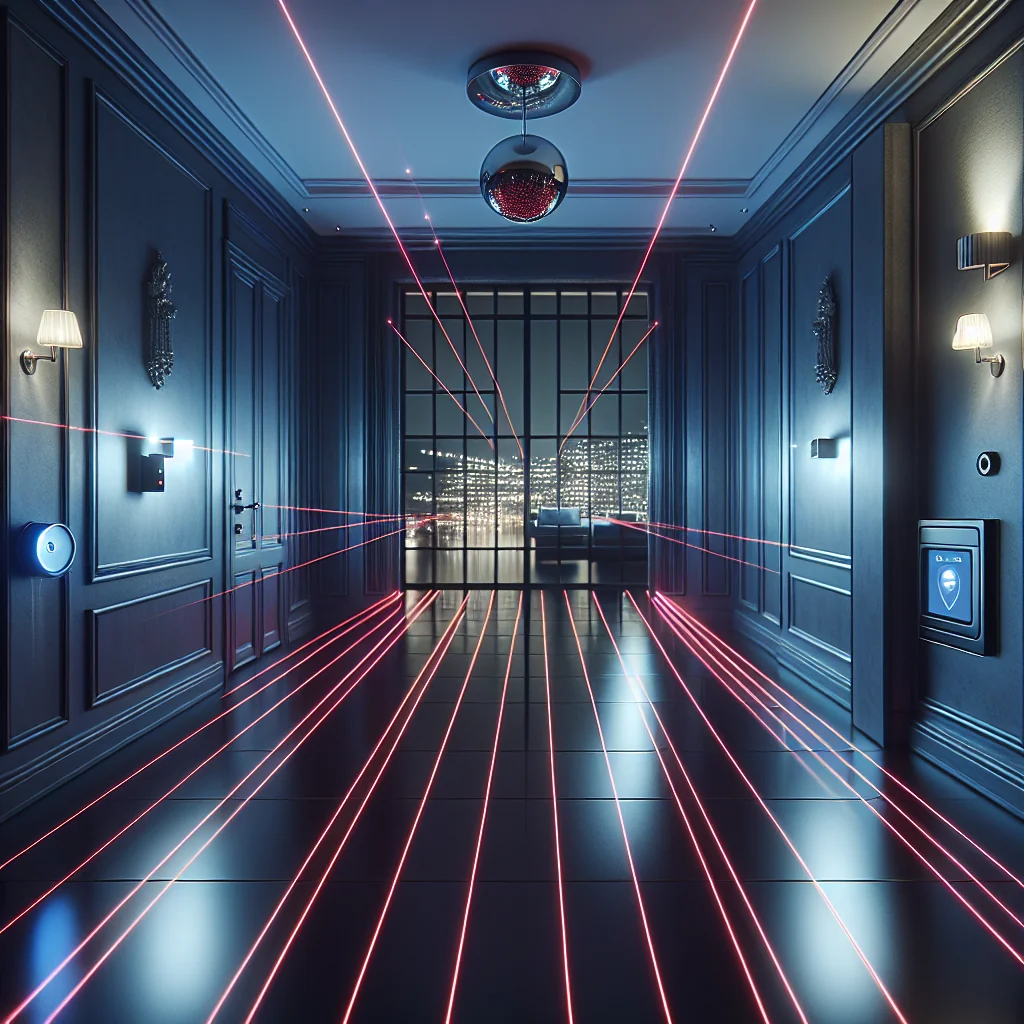
A laser security alarm system, in day-to-day use, is essentially an invisible tripwire. Something crosses the line, the system reacts. Simple idea, surprisingly easy to misuse.
### Laser vs. “Laser”
In practice, when people say *laser security alarm system*, they usually mean one of two things:
1. **Active infrared (IR) beam systems**
– A transmitter sends an invisible IR beam to a receiver.
– If the beam is interrupted, the alarm triggers.
– Often used along fences, across corridors, or in front of glass.
2. **True laser-based systems**
– Use a coherent laser beam (sometimes scanning) to detect movement or intrusion in a defined area.
– More specialized, often higher cost, sometimes used for high-security rooms or long-range perimeters.
Most commercial and residential “laser” alarm kits are actually IR beam systems. That’s not a problem; IR beams are mature and widely supported by alarm panels.
The key concept: **you’re creating an invisible line of detection**. When something crosses or blocks that line, your alarm system reacts.
### Core Components in Plain Language
A typical beam-based laser security alarm system includes:
– **Transmitter** – sends the beam (IR or laser)
– **Receiver** – detects the beam and signals an alarm if it stops seeing it
– **Mounting hardware** – brackets, poles, or wall mounts to keep things aligned
– **Alarm interface** – relay outputs wired into your alarm panel, access control, or local siren
– **Power** – usually low-voltage (12/24 VDC), sometimes PoE or battery-backed
Why this matters for business outcomes:
– **Fewer blind spots** than just motion detectors
– **Earlier detection** at the perimeter instead of at the door
– **Potentially fewer false alarms** than some motion sensors, if designed and installed well
– **Better deterrence** when combined with sirens, lights, or voice warnings
To summarise the component roles, here is a simple comparison:
| Component | Main Role | Typical Risk if Done Badly |
|---|---|---|
| Transmitter | Projects IR/laser beam toward receiver | Weak signal, frequent dropouts |
| Receiver | Detects beam and triggers alarm on interruption | Missed intrusions or random alarms |
| Mounting Hardware | Keeps devices stable and aligned | Misalignment over time |
| Alarm Interface | Connects beams to panel/zones | Confusing zones, poor response |
| Power | Supplies stable low-voltage | Outages, unreliable detection |
—
## 2. Where Laser Systems Shine (and Where They’re Overkill)
Laser and beam-based systems are very good at some jobs and terrible at others. Matching the tool to the task is half the battle.
### Good Use Cases for Beam-Based Protection
Laser/beam systems are ideal when you want to protect **lines and paths**, not large open areas.
Examples of strong use cases:
– **Perimeter lines along fences or walls**
– Detect someone climbing or crossing before they reach the building.
– Example (hypothetical): a logistics yard using beams 30–60 cm inside the fence line to detect climbing.
– **Long, narrow corridors or driveways**
– One beam can cover 30–100+ meters.
– Great for gated driveways, service corridors, and loading bays.
– **Glass-heavy facades and shopfronts**
– Run a beam parallel to the glass at a short distance.
– If someone breaks the glass and steps through, they cross the beam.
– **High-value room entrances**
– Add a beam across a server room door or vault entrance as a second layer.
– Works well with access control: door forced open + beam broken = higher confidence alarm.
– **Outdoor “virtual fences”**
– Create a no-go line where physical fencing is impractical or undesirable.
### Situations Where Beams Are a Bad Fit
There are also environments where beams will just annoy everyone:
– **General indoor motion detection of large areas**
– PIR or dual-tech motion detectors are cheaper and more flexible.
– You’d need too many beams to cover irregular spaces.
– **Crowded public spaces**
– Constantly broken beams mean constant alarms.
– Better to use video analytics or access control zoning.
– **Highly cluttered environments**
– Stacks, pallets, and moving machinery block or misalign beams.
A simple rule of thumb:
> Use a laser security alarm system **to protect predictable paths and lines**, not to blanket entire messy spaces.
—
## 3. Design Blueprint: Coverage, Heights, and Blind Spots
Before you buy anything, you need a basic design. A few hours of planning here will save months of frustration later.
### Step 1: Map Your “Lines of Protection”
Start with a simple site walk and ask yourself where an intruder would logically move.
During the walk, identify:
– Entry paths (driveways, walkways, gates)
– Climbable fence sections
– Vulnerable glass areas
– Critical doorways and loading bays
For each path, ask: *Where would I walk if I wanted to get in unseen?*
Those paths are your candidates for beam lines.
### Step 2: Choose Beam Type and Range
Different beam types suit different risks and environments.
Common options:
– **Single-beam IR** – one transmitter, one receiver, basic tripwire
– **Dual or quad-beam** – multiple beams in a vertical stack; all must be broken to trigger
– **Scanning laser** – more advanced units that can create an area or “curtain” of detection
Practical heuristics:
– For outdoor perimeter: dual or quad-beam is usually worth the extra cost.
– For indoor corridors: single or dual-beam is often enough.
– For high-security rooms: consider scanning laser curtains at entrances or windows.
### Step 3: Set Heights and Angles Carefully
Height is where many projects quietly fail.
Common mistakes:
– Too low: every cat, fox, or rolling trash bin becomes a suspect.
– Too high: people can crawl under or step over.
Useful rules:
– **Outdoor perimeter for humans**
– Use dual/quad beams between roughly 60 cm and 120 cm from the ground.
– Ensure the lowest beam is high enough to ignore small animals but low enough to catch crouching movement.
– **Indoor doorways or corridors**
– A single beam at chest height (~100–120 cm) often works.
– For higher security, stack two beams (knee + chest).
Angle considerations:
– Keep beams as straight and level as possible.
– Avoid aiming through areas with heavy foliage growth or frequent large vehicles.
### Step 4: Factor in Weather, Sun, and Growth
Outdoor beams live in the real world, not in the brochure.
Watch for:
– Sunlight – direct sun into the receiver can cause problems; choose orientation carefully.
– Weather – fog, heavy snow, and dense rain can weaken the beam.
– Vegetation – branches and plants grow; they will eventually block or sway into your beam.
The most dependable outdoor systems are usually the ones where someone walked the site and asked: *What will this look like in 6–12 months?* Not just on a sunny day in spring.
—
## 4. Integration Blueprint: Making Beams Work With Your Alarm System
The beam itself is just a sensor. The real value comes from how you integrate and respond.
### Wiring, Zones, and Naming
Most beam units offer at least:
– **Alarm relay output (NO/NC)** – connects to your alarm panel zone input
– **Tamper output** – triggers if the housing is opened or the device is removed
Best practices for integration:
– Put perimeter beams on separate zones from indoor motion sensors.
– Use clear, location-based zone names (for example, “North fence beam 1”, not “Zone 12”).
This lets you:
– Create different rules and schedules (for example, perimeter armed 24/7, interior armed at night).
– Understand what actually triggered an alarm when you review logs.
### Arming Logic and Schedules That Make Sense
You do not have to arm everything all the time. Instead, design layers.
Typical patterns:
– **Perimeter always on**
– Beams are armed 24/7.
– During business hours they may only trigger alerts, not full sirens.
– **Layered arming**
– Outer beams first, then indoor sensors later.
– Useful for sites with night staff inside but no one outside.
### Example Scenario: Simple Warehouse Setup
Imagine a small warehouse that wants better protection without annoying staff.
**Example (hypothetical):**
– 24/7:
– Perimeter beams active.
– Breaking a beam sends a push notification and moves a PTZ camera to a preset.
– After 7 pm:
– Beams plus indoor motion sensors armed.
– Breaking a beam or indoor sensor triggers siren, alert, and call-out.
This kind of layered logic keeps operations smooth while still catching real intrusions.
### Linking Beams with Cameras and Lighting
To really move the needle, connect detection to visibility and deterrence.
Useful integrations:
– Tie beam alarms to nearby cameras
– Auto-bookmark footage when the beam is broken.
– Auto-move PTZ cameras to pre-set positions.
– Trigger lights or voice warnings
– For example: “Warning: You are entering a restricted area. Please leave immediately.”
– This alone deters many opportunistic intruders.
The combination of **early detection + visual verification** is what makes a laser security alarm system feel smart rather than just noisy.
—
## 5. Pitfalls and Failure Modes You Should Expect
Beam-based systems are unforgiving of sloppy design. Avoiding a few classic mistakes will dramatically improve reliability.
### Misalignment Over Time
Beams must stay precisely aligned. Wind, vibration, or poor mounting can shift them gradually.
Typical symptoms:
– Random false alarms
– Constant “trouble” or “fault” signals
– Alarms only in bad weather or at odd times
Mitigation steps:
– Use solid mounts; avoid flimsy poles or makeshift brackets.
– Tighten all fixings properly.
– Schedule periodic re-alignment checks, especially outdoors.
### Small Animals, Insects, and Other Wildlife
Nature is surprisingly creative at triggering alarms.
Common issues:
– Spiders love warm, sheltered units; webs can block beams.
– Moths and insects can trigger sensitive single-beam systems.
– Cats, foxes, and raccoons are regular “testers” of your perimeter.
Mitigation:
– Use dual/quad beams outdoors and enable AND logic (all beams must be broken).
– Keep units clean and consider housings that reduce insect access.
– Include wildlife in your initial risk assessment instead of being surprised later.
### Everyday Operations Crossing Beams
If beams cross:
– Parking areas
– Regular walking routes
– Loading zones
…you will either get constant alarms or pressure to disable the system.
So what do you do instead?
– Design paths so normal operations never cross armed beams, or
– Use schedules and bypass logic so beams are only active when movement is not expected.
### No Maintenance Plan
Beams are not “fit and forget”. Dust, weather, and small shifts add up.
At least quarterly (monthly for high-risk sites), you should:
– Clean lenses
– Check alignment
– Inspect for vegetation growth
– Test alarm signal all the way through to the monitoring point
If you skip this, reliability will quietly degrade until everyone stops trusting the alarms.
—
## 6. Deployment Blueprint: From Idea to Working System
Here is a practical workflow you can follow, from “we should add beams” to a functioning system.
### Phase 1: Define Clear Security Objectives
Start with the “why”, not the gadget.
Write down specific objectives such as:
– “Detect anyone crossing the rear fence line after 7 pm.”
– “Alert if someone enters the server room without a valid access card.”
– “Trigger cameras and lights if someone approaches the glass storefront at night.”
These statements guide everything else: placement, type of beams, and integration.
### Phase 2: Site Walk and Sketch
Once your objectives are clear, walk the site with them in mind.
During the walk:
– Take photos of candidate beam locations.
– Note rough distances and available mounting surfaces.
– Sketch a basic plan with potential beam lines and mounting points.
A simple notebook sketch is enough as long as it captures:
– Start and end points for each beam
– Approximate height
– Nearby power or cabling routes
### Phase 3: Select Technology and Hardware
With your sketch in hand, choose suitable technology.
Consider:
– IR beams versus scanning laser
– Single versus dual/quad beam stacks
– Required range (avoid overspecifying “200 m” beams for a 15 m corridor)
– Power supply and cable paths
To keep the setup lean but effective, separate must-haves from nice-to-haves:
- Must-haves: quality beam units, proper brackets, weather-rated housings, and free alarm panel inputs.
- Nice-to-haves: PTZ cameras linked to beam alarms, networked logs, and redundant beams on critical lines.
This distinction keeps budgets realistic while still allowing room for upgrades later.
### Phase 4: Install with Alignment and Stability in Mind
Good installation is mostly about respect for physics and gravity.
During installation:
– Mount at the designed heights using a spirit level.
– Use the manufacturer’s alignment tools (LED indicators, scopes, or built-in meters).
– Test at full range with someone physically walking through the beam.
Document as you go:
– Exact heights and distances
– Device IDs and zone numbers
– Cable routes and junction points
This documentation will save hours during troubleshooting or future upgrades.
### Phase 5: Program Alarm Logic and Test Real Scenarios
With hardware in place, move to configuration.
On the panel or software side:
– Assign each beam to a clear, descriptive zone.
– Set entry/exit delays (usually zero for beams).
– Configure notifications, sirens, and camera actions.
Then run structured tests. A simple ordered checklist might look like this:
- Walk normal staff routes and vehicle paths to confirm they do not trigger alarms when beams are armed as planned.
- Simulate intrusion paths (climbing, walking through, crawling) and confirm each results in the expected alarm and response.
- Test power loss, tamper events, and communication failures to verify that faults are reported correctly.
These tests prove whether your design works in the real world, not just on paper.
### Phase 6: Train Users and Schedule Maintenance
The last step is making sure people know what you have built and how to keep it working.
Key actions:
– Brief relevant staff on what the beams do and when they are active.
– Explain what different alarms mean (perimeter only versus full interior breach).
– Add beam checks to your maintenance calendar and assign responsibility.
A well-installed system that nobody understands will still generate bad decisions when alarms occur.
—
## Wrap-Up and Next Steps: Turning Invisible Beams into Real Security
Laser and IR beam systems can be powerful tools when you treat them as part of a layered security strategy, not as a movie prop.
To get practical value, focus on:
– Clear, written objectives
– Good physical design of lines, heights, and angles
– Thoughtful integration with alarms, cameras, and lighting
– Ongoing maintenance and realistic expectations
You don’t need a huge project plan to start. You just need to take the first few structured steps.
### Concrete Next Steps for the Coming Week
To move from idea to action in the next 7 days, you can:
1. Walk your site and list 3–5 places where a “virtual tripwire” would actually help (fence line, corridor, glass front, server room door).
2. Write one-sentence goals for each location (for example, “Detect anyone crossing this line after 8 pm”).
3. Sketch a simple plan with approximate distances and heights; note power and cable access for each beam.
4. Decide beam type for each line: single versus dual/quad, indoor versus outdoor, IR versus laser curtain.
5. Check your existing alarm panel to see how many free zones/inputs you have and how you would label them.
6. Talk to an installer or vendor with your plan in hand, rather than asking “What should I buy?” – you will get a much better system.
7. Plan a maintenance routine (even just quarterly lens cleaning and test walks) and assign it to a specific person or team.
Follow that sequence, and your laser security alarm system stops being a buzzword and becomes what you actually need: a dependable, quietly effective line of defense.